Game Guide
Flying Balayya Game: Play Online, Controls & Tips
Play Flying Balayya Game online in your browser. Learn the Space, Arrow Up, W, click, and tap controls, how bottle-gap scoring works, practical timing tips, and what to know about mobile play and saved scores.
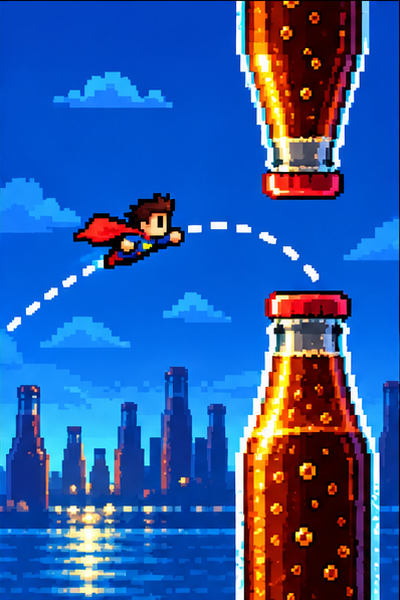
Quick answer: Flying Balayya Game is a free, Telugu meme-inspired arcade game that runs in a browser. Press Space, Arrow Up, or W, or click or tap the playfield to lift Balayya between pairs of bottles. Pass a complete pair to score one point. A collision with a bottle or the ground ends the run. You can play without signing in or downloading an app; the personal best is saved in the current browser.
What is Flying Balayya Game?
Flying Balayya Game is a one-button flying arcade game on flyingbalayya.com. It puts a Balayya character in a simple side-scrolling challenge: rise with each input, keep clear of bottle obstacles, and see how many gaps you can pass before a collision. The game takes inspiration from Telugu meme culture, while its basic rule is understandable without any language knowledge: stay airborne and avoid the bottles.
The appeal is the short learning loop. A new player can begin quickly, understand a failed run, and try again immediately. There is no long tutorial to finish before the central mechanic makes sense. Each attempt offers a small piece of feedback: perhaps the last lift came too early, a correction came too late, or several taps made the character rise past the opening. Adjust one thing and play another round.
The game runs in a web browser, so there is no app-store installation step. The official homepage presents the playable game on the page. Select Start free or the play option, then use the playfield. The site says that normal play is free without signing in. Account features relate to creating custom game versions, not to the basic bottle-dodging run.
How to play
- Open the Flying Balayya play page on a current desktop or mobile browser.
- Choose the free play option and start a run. The game does not require a download or sign-in for standard play.
- Focus the game area. On a computer, press Space, Arrow Up, or W. You can also click the playfield. On a touchscreen, tap the playfield.
- Use individual, spaced inputs to rise and line up with the opening between the bottles.
- Clear each complete bottle pair to add a point. Avoid the bottles and the ground.
- When a run ends, read the score, choose Play again, and use what you learned on the next attempt.
The on-page how-to-play instructions are useful if you want a quick reminder before starting. The main idea is to control height before the obstacle reaches the character. Inputs affect the flight, while gravity pulls the character down between lifts. That means the task is a sequence of small timing decisions, not holding a key to fly continuously.
Controls for desktop and mobile
| Device | Input | What it does |
|---|---|---|
| Keyboard | Space | Gives the character one lift |
| Keyboard | Arrow Up | Gives the character one lift |
| Keyboard | W | Gives the character one lift |
| Mouse | Click the playfield | Gives the character one lift |
| Touchscreen | Tap the playfield | Gives the character one lift |
| Keyboard | Escape | Pauses the game when supported by the active play state |
Each key press produces a lift; holding a key does not repeatedly flap. This is why repeated frantic key presses can make a run harder to control. On desktop, click or tap inside the game first if the keys seem unresponsive. The browser sends keyboard input to the focused page or control, and another element may have focus instead.
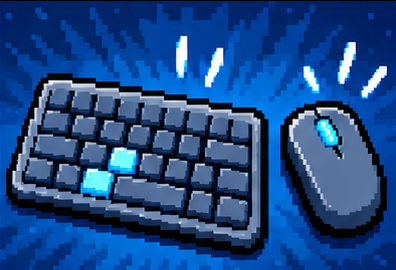
On a phone, tap the play area rather than a browser control or nearby page content. If the page scrolls when you try to play, make sure your touch lands inside the active game surface. Rotate the phone only if the game asks for a different orientation; otherwise, begin in the layout that feels comfortable and keep the next gap visible.
Scoring and game rules
The scoring rule is direct: passing a complete pair of bottles earns one point. The game ends if Balayya hits a bottle or the ground. The end screen displays the run score and gives you a way to play again. A new attempt starts from zero, so each result represents one run rather than a combined session total.
This small score system makes it easy to set a personal target. Instead of trying to jump from a first attempt to a very high score, aim to pass one more pair than last time. Once you can do that consistently, keep refining your timing. Short targets make improvement visible and keep the game’s quick rounds satisfying.
Your best score is local to the current browser on this site. It is not described as a cross-device leaderboard or an account-synced record. If you switch browsers, devices, or clear site data, the saved record may not follow you. Avoid clearing the site’s data if you want to preserve a local best. A locally stored score also belongs to this version of the game; custom or separately hosted copies can keep separate records.
Tips for getting through bottle gaps
Watch the opening, not just the character
Look at the next gap while there is still time to adjust. If you stare only at Balayya, it is easy to react after the obstacle has already become difficult to clear. A glance ahead helps you decide whether the character needs to rise or fall before reaching the bottle pair.
Learn the effect of one lift
Start with deliberate taps and notice how much one input changes the character’s height. The exact useful rhythm depends on the moment in the run, so a fixed input pattern cannot guarantee a high score. Learning the response is more useful than tapping as fast as possible.
Correct early and gently
Large last-second corrections often send the character past the safe opening. Try to align with the gap before reaching it, then make a smaller adjustment as the bottles approach. If you are too low, lift earlier. If you are already above the opening, stop adding inputs and let the character descend.
Change one habit after a collision
After a failed run, identify the most likely cause: a lift that was too early, a late correction, too many inputs, or a gap approached at the wrong height. Change just that one habit for the next attempt. This makes the outcome easier to understand and helps you build a steadier rhythm.
Keep a comfortable visual distance
If the playfield is too small or crowded by browser zoom, adjust the page view before starting. The upcoming opening should be easy to distinguish from the bottle art. Give your eyes a moment to settle after each restart instead of tapping immediately while the character and obstacles are still resetting.
No particular rhythm guarantees success. Obstacle positions and the state of a run still matter. The practical goal is to make each input intentional and to act while the next gap is still ahead of you.
Mobile, browser, and accessibility notes
Flying Balayya is a browser game, so a current browser with JavaScript enabled is needed. A modern phone, tablet, or desktop browser should be the simplest way to try it. On mobile, use the touch surface shown in the game and keep enough of the screen visible to judge the next gap. A stable connection helps the page and its visual assets load before play begins.
For keyboard play, use the control that feels easiest to reach and keep your hand relaxed. If you use a mouse, click the game area deliberately rather than clicking repeatedly around the page. The pause control is useful when you need to stop without ending a run. Muting game audio can make play more comfortable in a shared space; muting audio does not hide text embedded in game art.
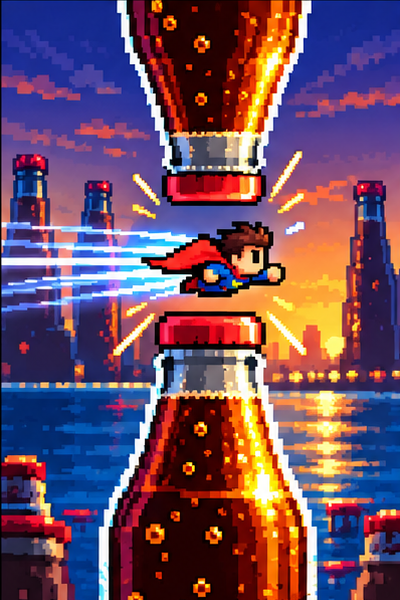
The pixel-art presentation is part of the game’s character, but players should still be able to distinguish the protagonist, bottle hazards, and open gap. If animation or sound makes play uncomfortable, use the available mute or pause options. Take a break between repeated attempts if your eyes or hands feel tired. The short format is designed for quick rounds, not for playing through discomfort.

Pixel-art style and Telugu meme humor
Pixel art gives the game a compact, immediately recognizable arcade look. Strong silhouettes and a limited visual field help players read the character and obstacles quickly. In a one-button game, the art also has a practical job: it should make the safe gap easy to notice while adding personality to a familiar avoid-and-survive mechanic.
The Balayya character and Telugu meme references provide the cultural flavor. You do not need to know the references to understand the controls or scoring, but familiarity with Telugu film and meme culture can make the imagery and audio jokes more recognizable. The official site notes that assets may include coarse language. Muting stops audio, but it does not remove words that appear in images, so players and parents should consider that when choosing where and when to play.
Different websites may host games with similar names or similar flying mechanics. Their rules, score storage, account systems, and art may be different. Use the official Flying Balayya website when you want the version described in this guide. The spelling “Balayya” is used here because it is the name used by this site.
Scores, accounts, and custom games
Standard play is free without signing in. The site also offers an optional AI-assisted custom game feature: signing in provides one free custom game creation, and a one-time purchase raises the total allowance to 100 creations. That purchase is for making custom games; playing the standard Flying Balayya run remains free. Check the current offer and terms on the site before purchasing, since product details can change.
The account feature is separate from the local best score. The site says the score for a game version stays in the current browser on this site. That means an account should not be assumed to sync the score across a phone and laptop. It also means that a custom version can have its own local score. If cross-device score syncing matters to you, confirm that a feature explicitly offers it before relying on it.

Troubleshooting
The game will not load: check the connection, allow JavaScript, reload, and try an updated browser. Close resource-heavy tabs if the page is slow. A different browser can help identify whether the issue is specific to one browser setup.
Space, W, or Arrow Up does nothing: click the playfield to focus it, then try one key at a time. Confirm that the game is not paused. Mouse clicks and touchscreen taps are alternative inputs.
The page scrolls on a phone: tap inside the game surface and keep the gesture over the play area. If scrolling continues, reload the page and begin a fresh run after the playfield is fully visible.
The score seems to have disappeared: the personal best is local to the current browser. Check whether you changed browser, device, or cleared site data. The score is not presented as a cloud-synced record.
Audio or language is not a fit for the setting: mute the game audio before playing. Images may contain text that muting cannot remove.
For a persistent technical issue, the site lists support@flyingbalayya.com. Include the device, browser, page, and steps that reproduce the problem; avoid sending passwords or payment details.
Frequently asked questions
Is Flying Balayya Game free?
Yes. The standard game can be played free without signing in. Optional account and purchase features are for creating custom games.
Do I need to download an app?
No. Flying Balayya runs in a web browser. Open the official site and start from the on-page play area.
What are the Flying Balayya controls?
Press Space, Arrow Up, or W, or click or tap the playfield. Each input gives one lift; holding a keyboard key does not repeat the lift.
How do you score points?
Pass a complete pair of bottle obstacles for one point. Hitting a bottle or the ground ends that run.
Can I play on a phone?
Yes. Use the touchscreen to tap the playfield. A current mobile browser and an internet connection are needed to load the page.
Does Flying Balayya save my best score online?
The site says the best score stays in the current browser. It is not presented as a score that automatically syncs across devices.
Do I need to understand Telugu?
No. The basic game is communicated through the character, obstacles, and score. Telugu meme references and some audio or image content may be easier to understand if you know the culture.
Is Flying Balayya an official game from a film studio?
The website describes itself as independently operated. Do not assume that the game is an official film-studio release or endorsement.